Manage products
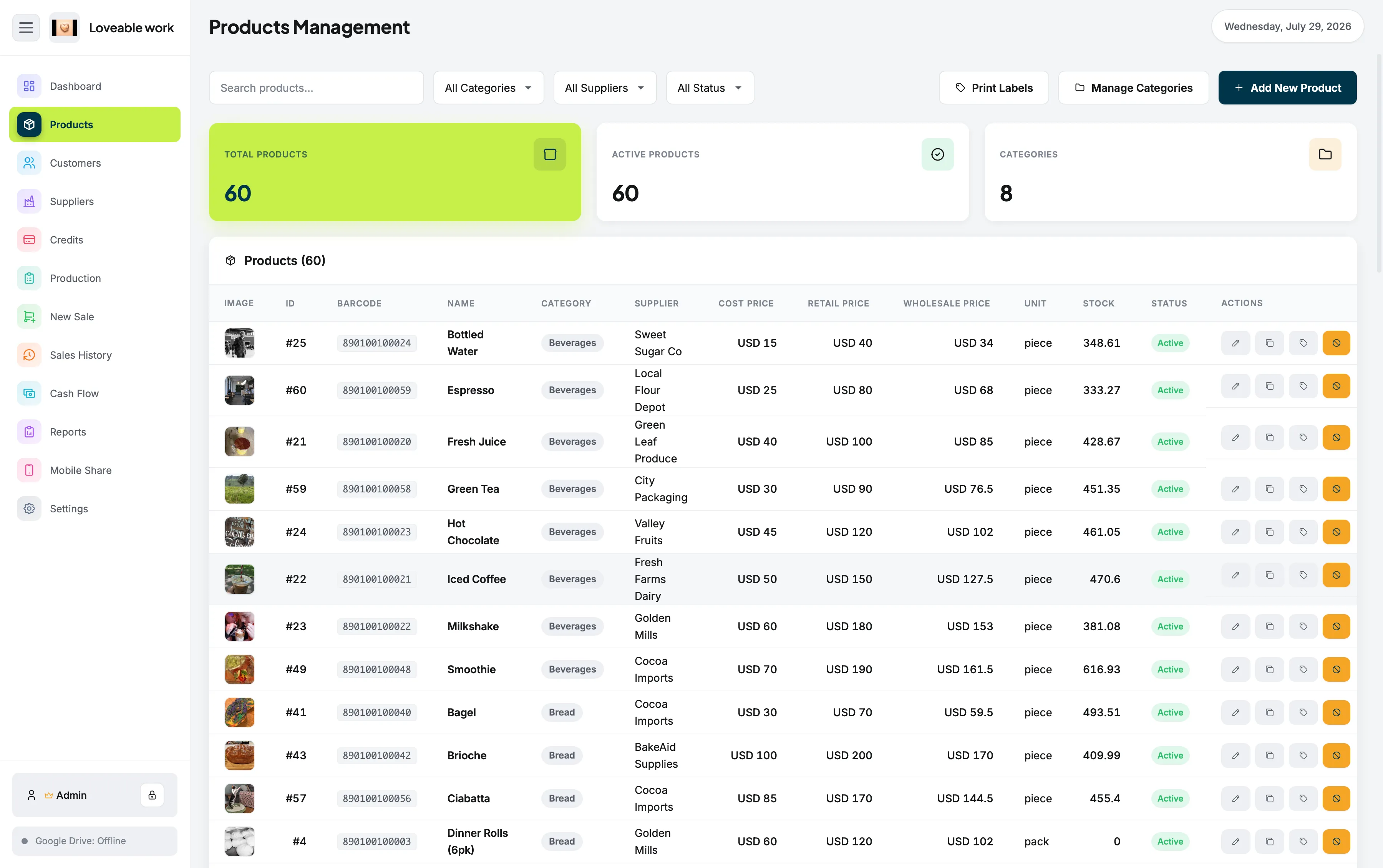
Keep your product catalog organized and ready for sales.
Retail inventory software for Mac
Running a retail business requires more than processing a transaction. Restockly POS brings your sales and retail management workflow together on your Mac.
Products, stock and suppliers in one place Offline-first One-time purchase
What inventory has to answer
One system
Instead of maintaining one application for checkout and separate spreadsheets for the rest of the store, use one system for the information behind your business.
Keep your product catalog organized and ready for sales.
Follow the inventory you have available instead of relying on memory or handwritten counts.
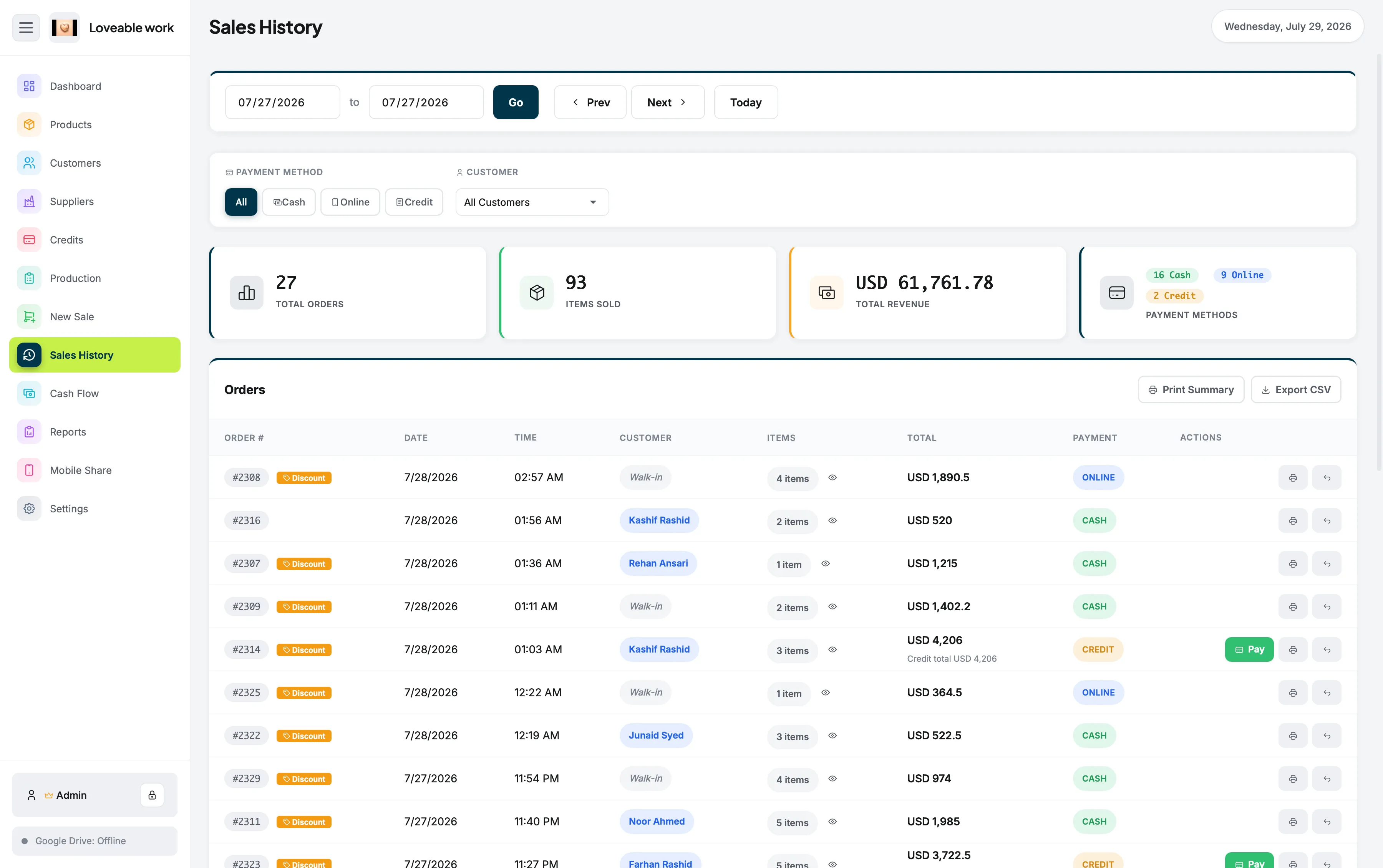
Go back through transactions when you need to understand previous activity.
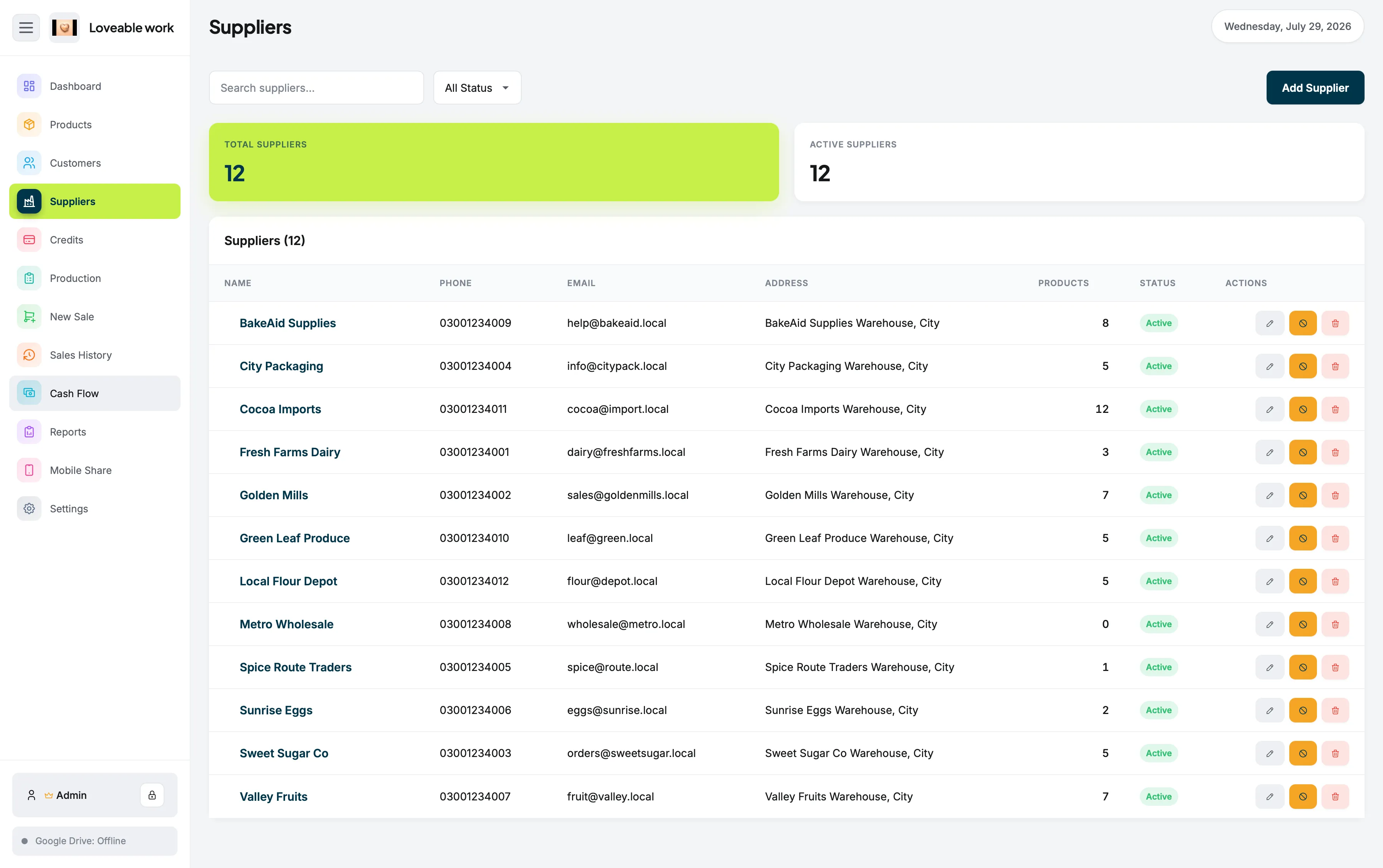
Keep supplier information connected to your store-management workflow.
See money moving in and out of the business.
Turn everyday transactions into information you can actually use.
Stock control
Your product catalog carries the categories, suppliers, prices and stock levels behind every item you sell, so a sale at the counter and the shelf it came from stay part of the same record.
Sales history is there when you need to look back at what actually moved.
Suppliers
Supplier records sit alongside the products they provide, so purchasing information stays part of the same store-management workflow rather than living in a separate address book.
Restockly POS is especially useful if your Mac already sits at the center of your shop. There is no need to build your business workflow around a browser tab. Open your POS application and manage your store directly from your computer.
More on the two halves of that: POS for Mac and offline POS software.
Direct answer
Yes. Restockly POS manages products, stock, suppliers, sales history, cash flow and reports as a desktop application on macOS.
Because the application runs on the Mac itself, the inventory workflow does not stop being available when the connection does.
By store type
What good stock control looks like depends on what is on your shelves. These pages cover the same software from each angle.
From the first sale of the morning to reviewing reports at closing time, Restockly POS helps you keep the operational side of your store organized.