Boutique POS

POS Software for Boutiques

You carefully choose what enters your store. You know your regular customers. You notice which collections sell quickly and which ones stay behind.

Your POS should support that business—not bury you under configuration screens and recurring software packages.

Simple to run Works offline One-time purchase

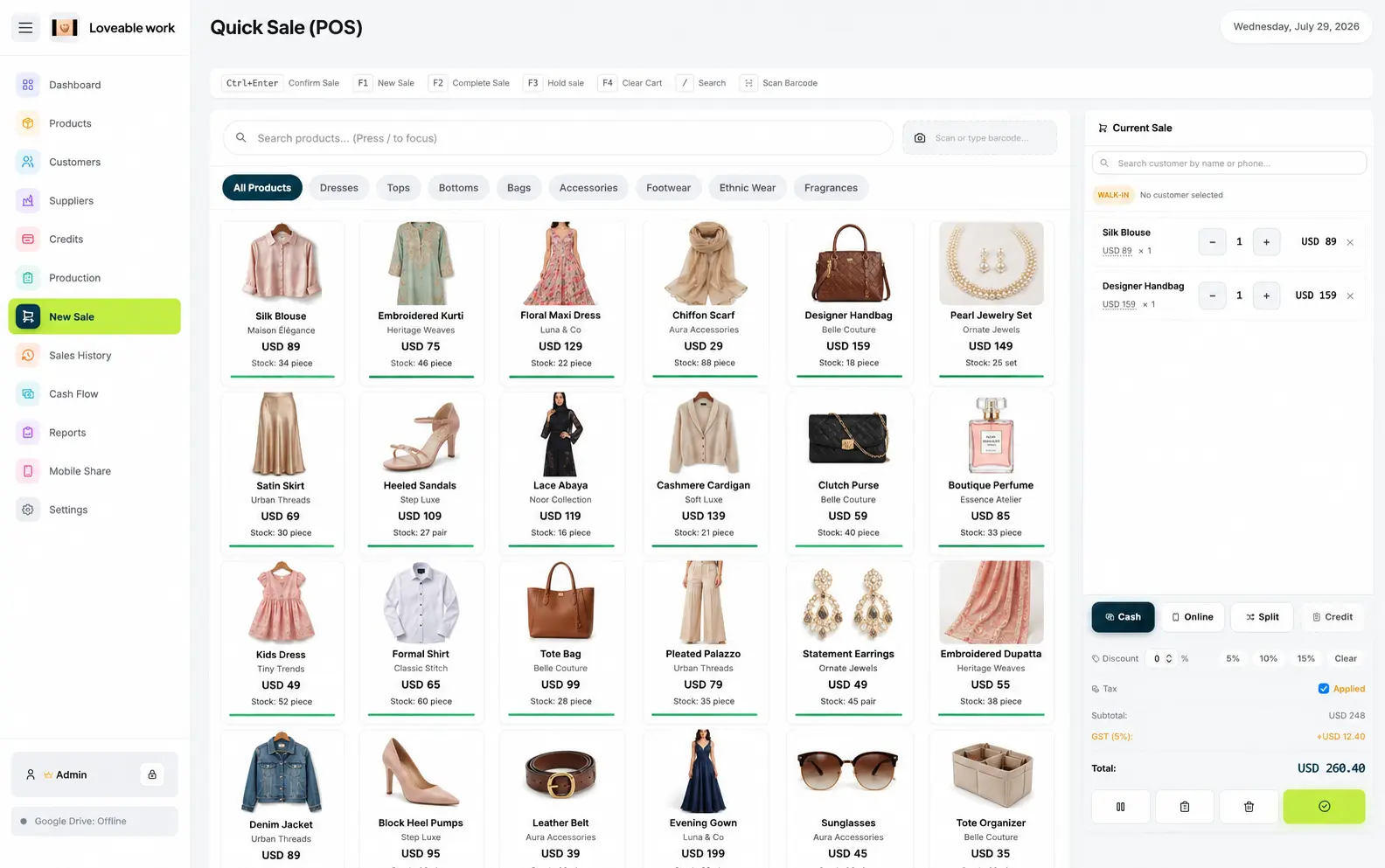
Boutique checkout in Restockly POS with clothing, bags and accessories on the New Sale screen

Everything, and not much else

Everything Your Boutique Needs in One Place

Restockly POS gives boutique owners a focused way to manage sales, products, customers, inventory and store performance. Manage the daily details behind your shop:

Products
Keep your merchandise organized.
Inventory
Understand what is still available.
Customers
Maintain useful customer records.
Suppliers
Keep the businesses behind your merchandise organized.
Sales History
Review previous transactions when needed.
Cash Flow
Understand money moving through your business.
Reports
See how your store is performing.

Regulars, not records

The customers you already know, written down

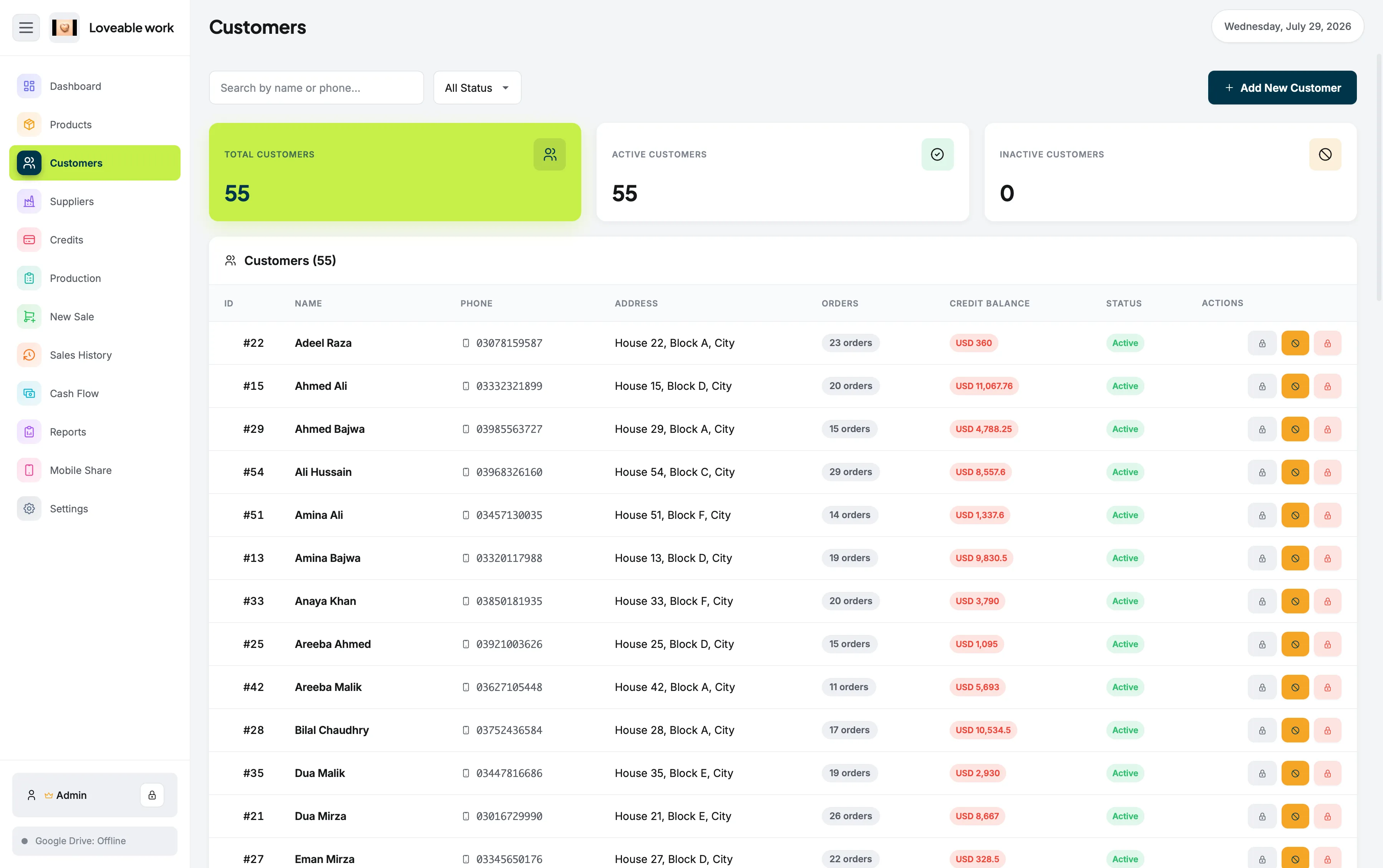
A boutique runs on relationships. Customer records keep the details of who buys from you next to the sales themselves, so the person behind a purchase is part of the same system as the purchase.

Customers screen in Restockly POS listing customer records alongside their purchase activity

Great Software Doesn't Need to Become Another Monthly Bill

Boutiques already deal with recurring expenses:

  • Rent
  • Utilities
  • Stock purchases
  • Staff
  • Marketing
  • Bank charges

The full reasoning, including when a subscription genuinely is the better choice, is on POS software without monthly fees.

Offline first

Keep Your Boutique Running Offline

Your shop shouldn't become dependent on whether the router is having a good day.

Restockly POS is built for local desktop operation, so your core retail workflow remains available without permanent internet access.

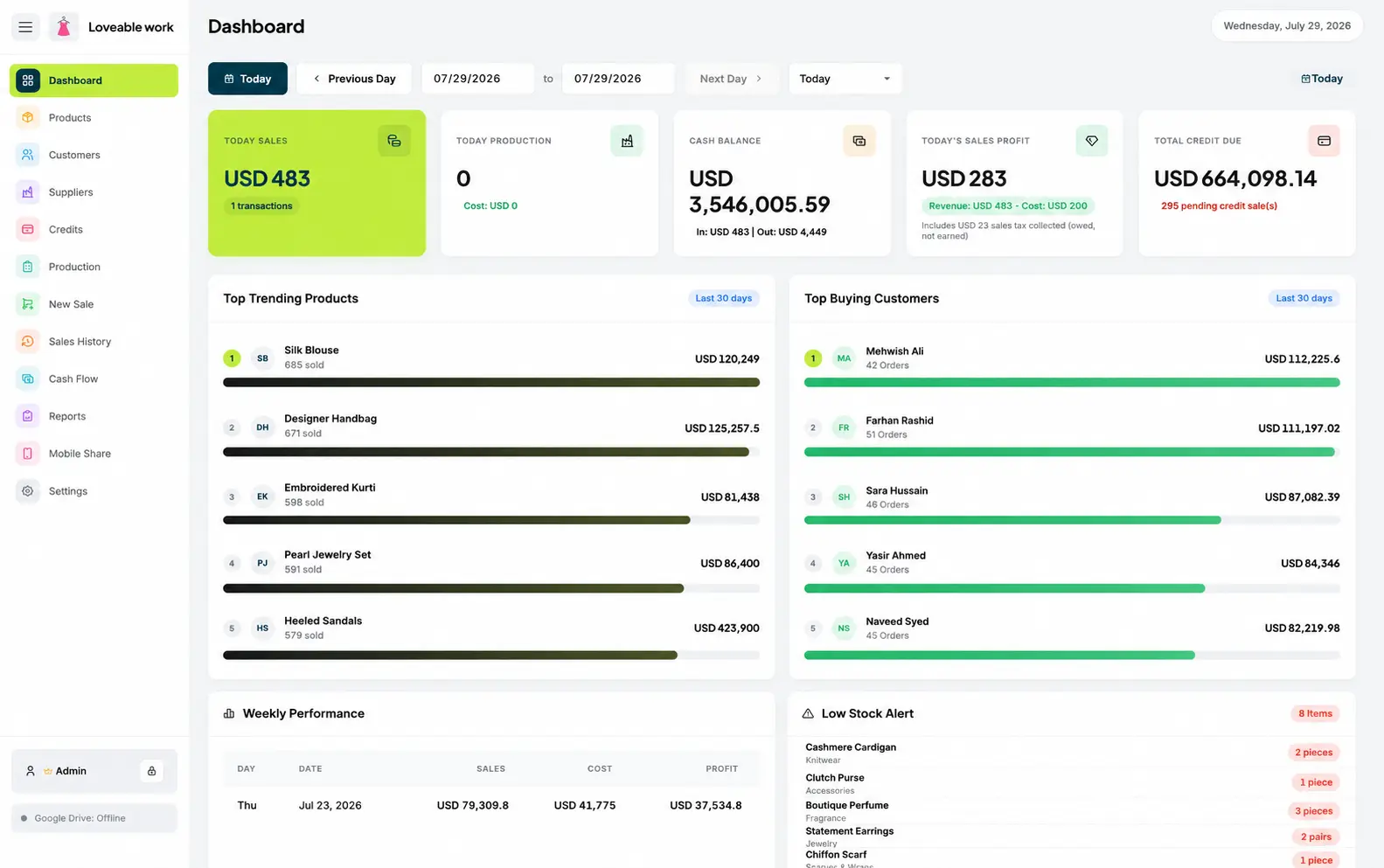
Boutique sales dashboard in Restockly POS showing the day's sales, cash balance and stock alerts

More on how that works: offline POS software. On a Mac it runs as a desktop application on the computer already behind your counter — see POS for Mac.

Spend Less Time Managing Software

And more time managing your boutique.

Free trial · v1.3.0

Download Restockly POS

Same app, same licence key — pick the build for your computer.

Download for Windows

Restocklypos-v1.3.0-Windows-x64.exe Windows 10 & 11 · 64-bit · 10.6 MB

If Windows shows a blue warning screen

SmartScreen flags every new installer until it builds download reputation. Three steps clear it.

  1. 1

    Open the downloaded .exe from your Downloads folder.

  2. 2

    On Windows protected your PC, select More info.

  3. 3

    Check the publisher and filename, then select Run anyway.

Only install files downloaded from the official Restockly POS website.

Strictly necessary

Always on

Remembers your light/dark theme and your storefront country, and lets the Paddle checkout and licence lookup work. No measurement.