Small retail POS

POS Software for Small Retail Businesses

Everything you need to run the store. Without everything you don't.

Restockly POS gives independent retailers the tools needed to operate a modern store without unnecessary complexity.

One system for the whole day Works offline One-time purchase
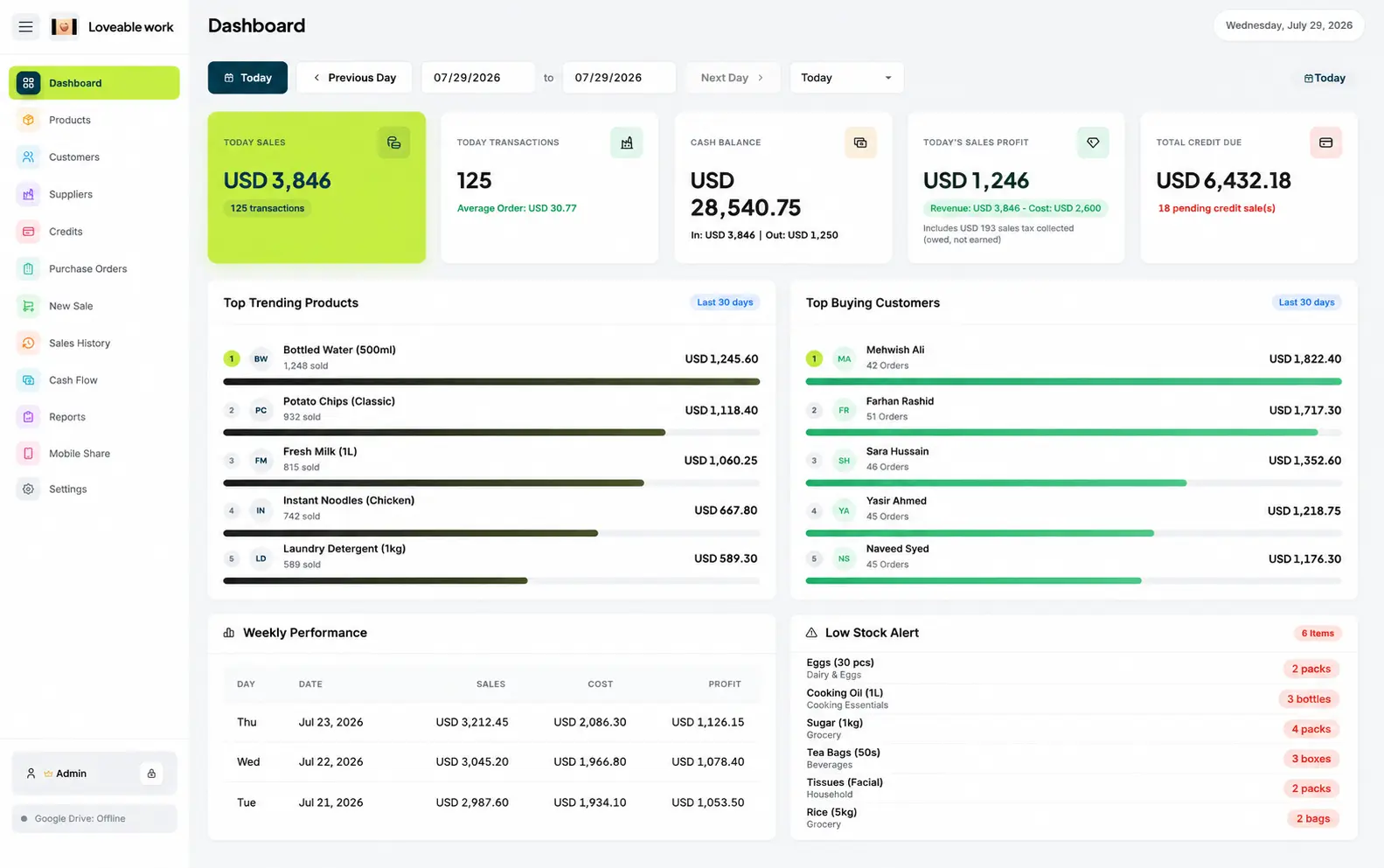
Restockly POS dashboard for a small retail store showing daily sales, cash balance, top products and low stock alerts

The middle ground

Small retailers often end up choosing between two extremes

Too little

A basic cash register

It takes the money and tells you almost nothing else about the shop.

Too much

A large cloud POS platform

Subscriptions, add-ons and features designed for much bigger businesses.

In the middle

Restockly POS

The tools needed to operate a modern store, on one desktop computer, bought once.

A day in the shop

Manage the Whole Retail Day

One system stays at the center of the workflow, from opening to planning next week's stock.

  1. STEP 1

    Before opening

    Check products and inventory.
  2. STEP 2

    During the day

    Record sales and maintain customer information.
  3. STEP 3

    When stock arrives

    Keep product and supplier information organized.
  4. STEP 4

    At closing

    Review sales activity and cash flow.
  5. STEP 5

    When planning ahead

    Use your reports and transaction history to understand how the business is performing.

Owner-operated

Designed for Owners Who Actually Work in Their Store

Restockly POS isn't built around the assumption that every retailer has an IT department.

It is intended for real independent businesses where the owner may be doing all of this on the same day.
  • Managing inventory
  • Helping customers
  • Handling suppliers
  • Checking the register
  • Reviewing finances
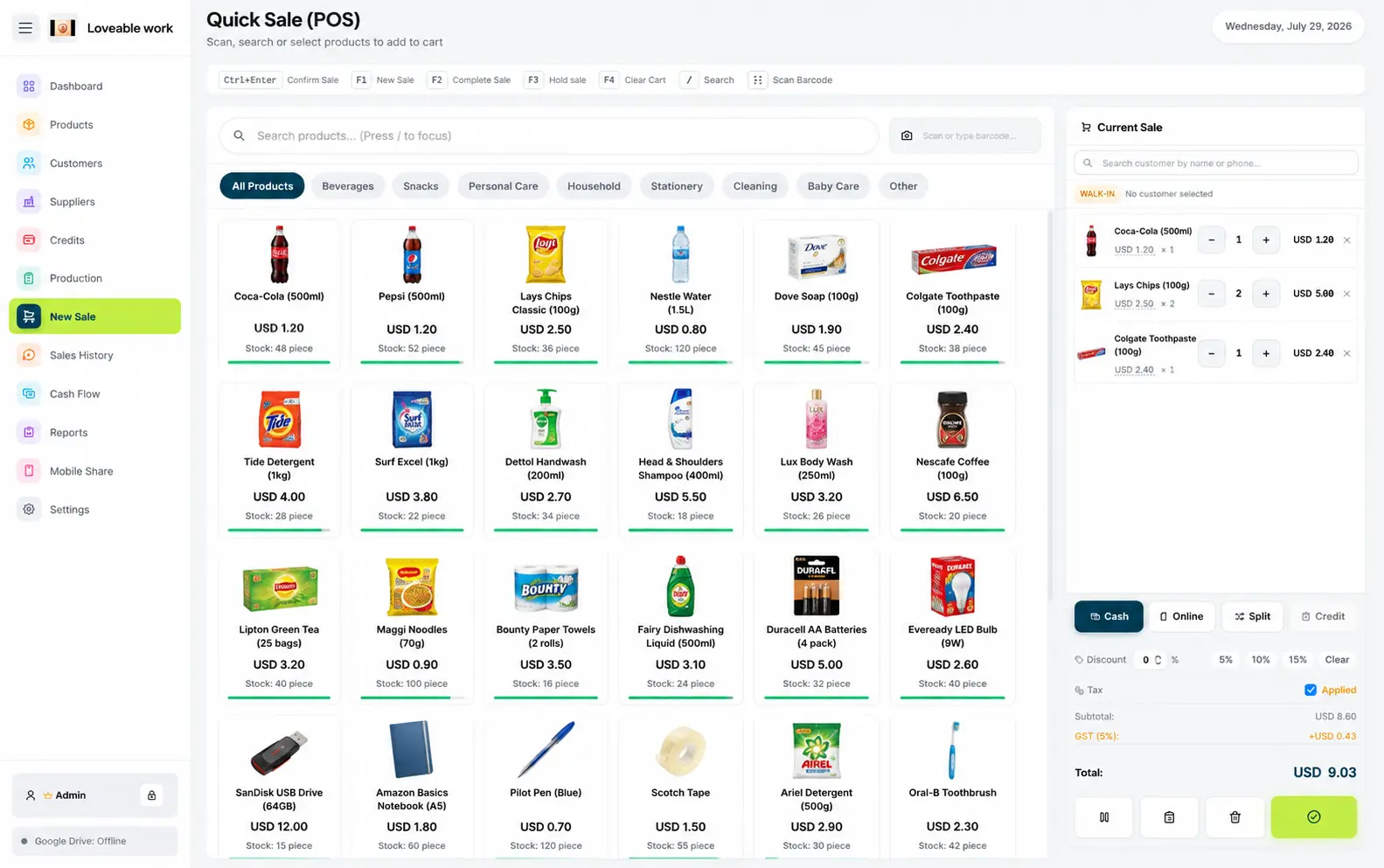
New Sale screen in Restockly POS recording an everyday retail transaction at the counter

Direct answers

Two things owners ask first

Do I need internet to run the store?

No. Core operations do not require an internet connection.

Your store can continue operating when connectivity is unreliable. That can be especially valuable for smaller retailers that don't have backup internet connections or complex IT infrastructure.

Is there a required monthly POS subscription?

No. Buy your software instead of adding another permanent bill to the business.

For a small store, predictable costs matter. The pricing model is set out in full on the POS without monthly fees page.

Both points in more depth: offline POS software and POS without monthly fees.

Restockly POS Is a Good Fit For

  • General retail stores
  • Gift shops
  • Clothing retailers
  • Boutiques
  • Electronics shops
  • Cosmetic stores
  • Accessory stores
  • Local independent retailers

A simpler way to run your shop—from your own computer.

Start Using Restockly POS

Everything you need to run the store, on the computer that is already in it.

Free trial available: the full app, capped at 5 products and 10 sales. No account, no card.

Free trial · v1.3.0

Download Restockly POS

Same app, same licence key — pick the build for your computer.

Download for Windows

Restocklypos-v1.3.0-Windows-x64.exe Windows 10 & 11 · 64-bit · 10.6 MB

If Windows shows a blue warning screen

SmartScreen flags every new installer until it builds download reputation. Three steps clear it.

  1. 1

    Open the downloaded .exe from your Downloads folder.

  2. 2

    On Windows protected your PC, select More info.

  3. 3

    Check the publisher and filename, then select Run anyway.

Only install files downloaded from the official Restockly POS website.

Strictly necessary

Always on

Remembers your light/dark theme and your storefront country, and lets the Paddle checkout and licence lookup work. No measurement.