Fashion retail gets complicated quickly. Restockly POS gives independent clothing retailers a simple way to keep sales and inventory organized from one desktop application.
Product-heavy catalogues
•
Works offline
•
No required monthly subscription
Why clothing retail is different
Keep Your Clothing Store Organized From Counter to Stockroom
1 One shirt becomes several sizes.
2 One design becomes multiple colors.
3 New stock arrives.
4 Popular items sell out.
5 Old stock stays on the shelf.
Product-heavy retail
Made for Product-Heavy Retail
Your POS should help you manage more than the final transaction. Use Restockly POS as the operational hub for your clothing store.
Instead of maintaining notebooks and disconnected spreadsheets, your retail records stay together.
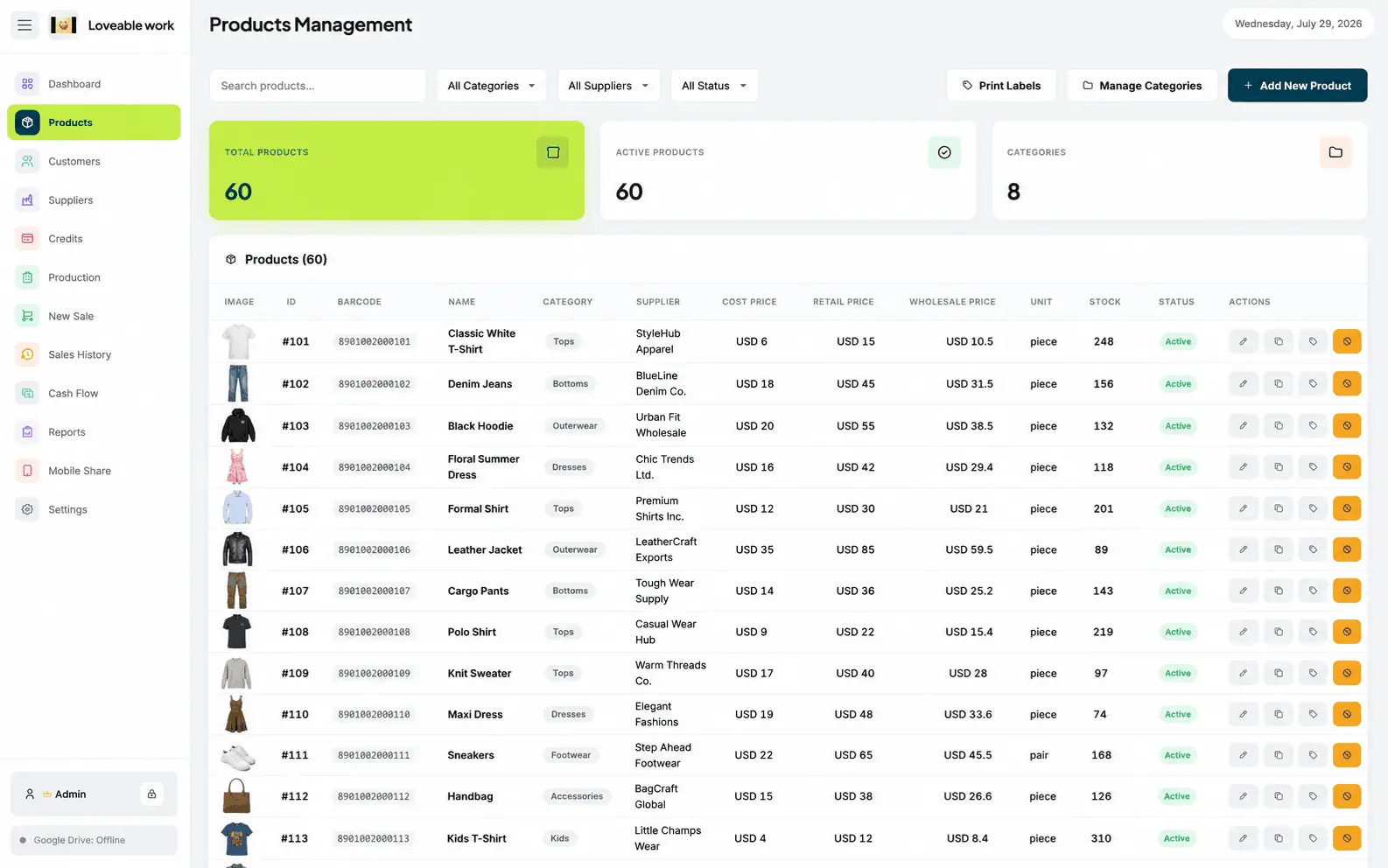
Organize your product catalog
Monitor stock
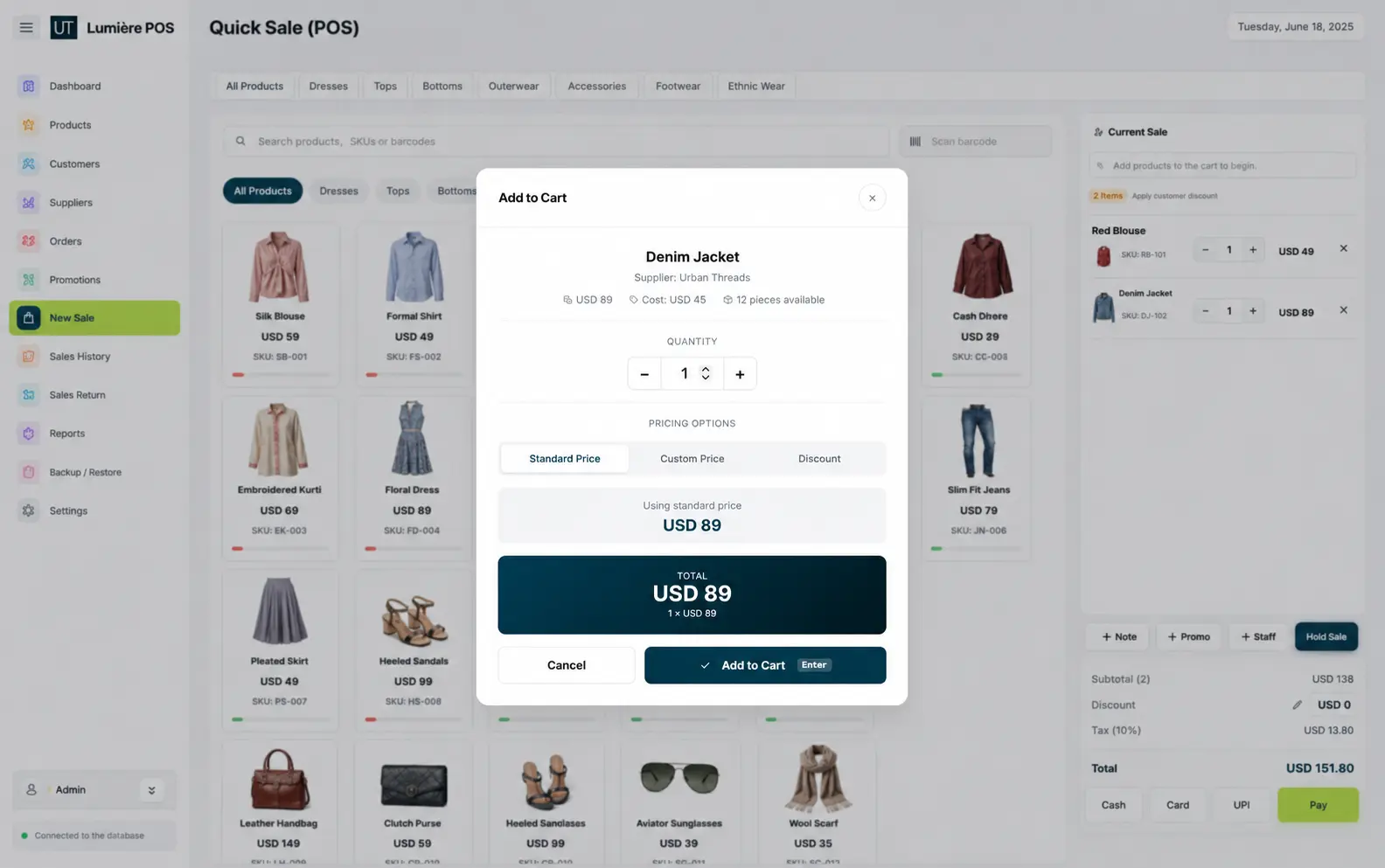
Record everyday sales
Maintain customer information
Keep supplier details organized
Review sales history
Monitor business cash flow
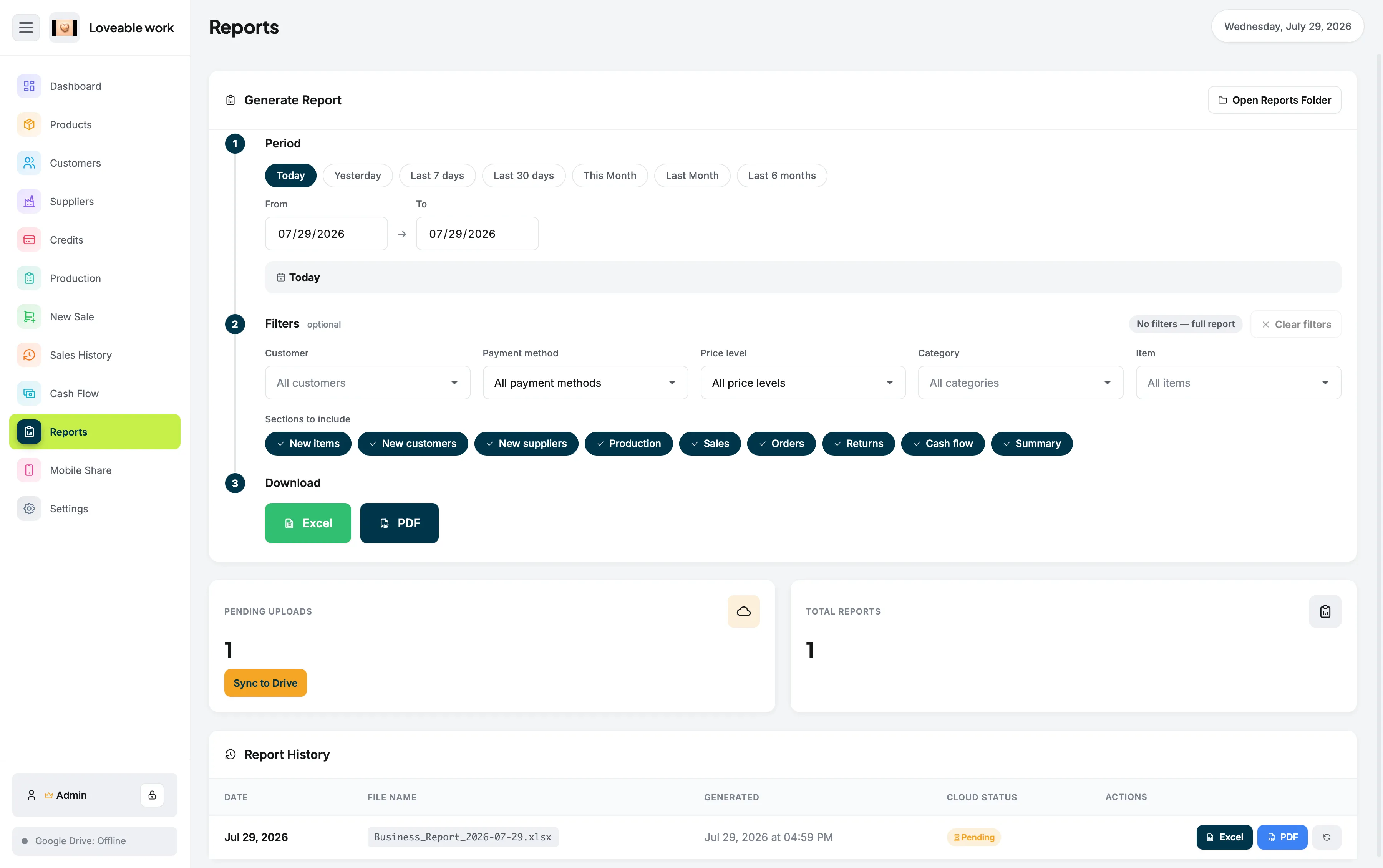
Analyze store reports
Fast movers and dead stock
See What's Moving and What's Sitting
Good clothing retail depends on knowing what customers actually buy. Your sales history and inventory information can help you identify:
Popular products
See which pieces customers actually buy, rather than which ones you expected them to.
Slow-moving stock
Spot the rails that have not moved while the rest of the floor turned over.
Items that may need restocking
Catch the sizes and lines running low before a customer finds the gap first.
Seasonal movement
Compare how a season sold against the transaction record instead of memory.
Changes in store performance
Follow how the shop is trending using your own sales history and reports.
You don't need an enterprise retail platform just to understand your
own shop — and the same product and stock tools are covered in more
depth under retail inventory software for Mac.
Season by season
Look back at what a season actually did
Sales history and reports turn a busy few months into figures you can compare, so next season's buying is based on the record rather than a feeling about how it went.
Keep Selling Without Depending on Wi-Fi
The reasoning behind that design is set out on offline POS software, and on macOS it runs as a native desktop application — see POS for Mac.
Better for Independent Clothing Retailers
Get the tools you need without paying for layers of enterprise
functionality you may never use. Restockly POS is a strong fit
for:
We use analytics cookies to understand how this website is
used, and advertising cookies to measure our ads. They are
off until you choose. Cookies needed to run the site — your
theme, your storefront country and checkout — are always on.
You can change this at any time from “Cookie preferences” in
the footer. See our Privacy Policy.