Comparison

Restockly POS vs Lightspeed Retail

Lightspeed Retail is built for retailers that want a sophisticated cloud-based commerce platform. Restockly POS is built for retailers that want a simpler desktop POS they can operate locally without a required monthly software subscription.

The better choice depends largely on how complicated your retail operation actually is.

Desktop POS for Mac and Windows One-time software purchase Built for independent shops

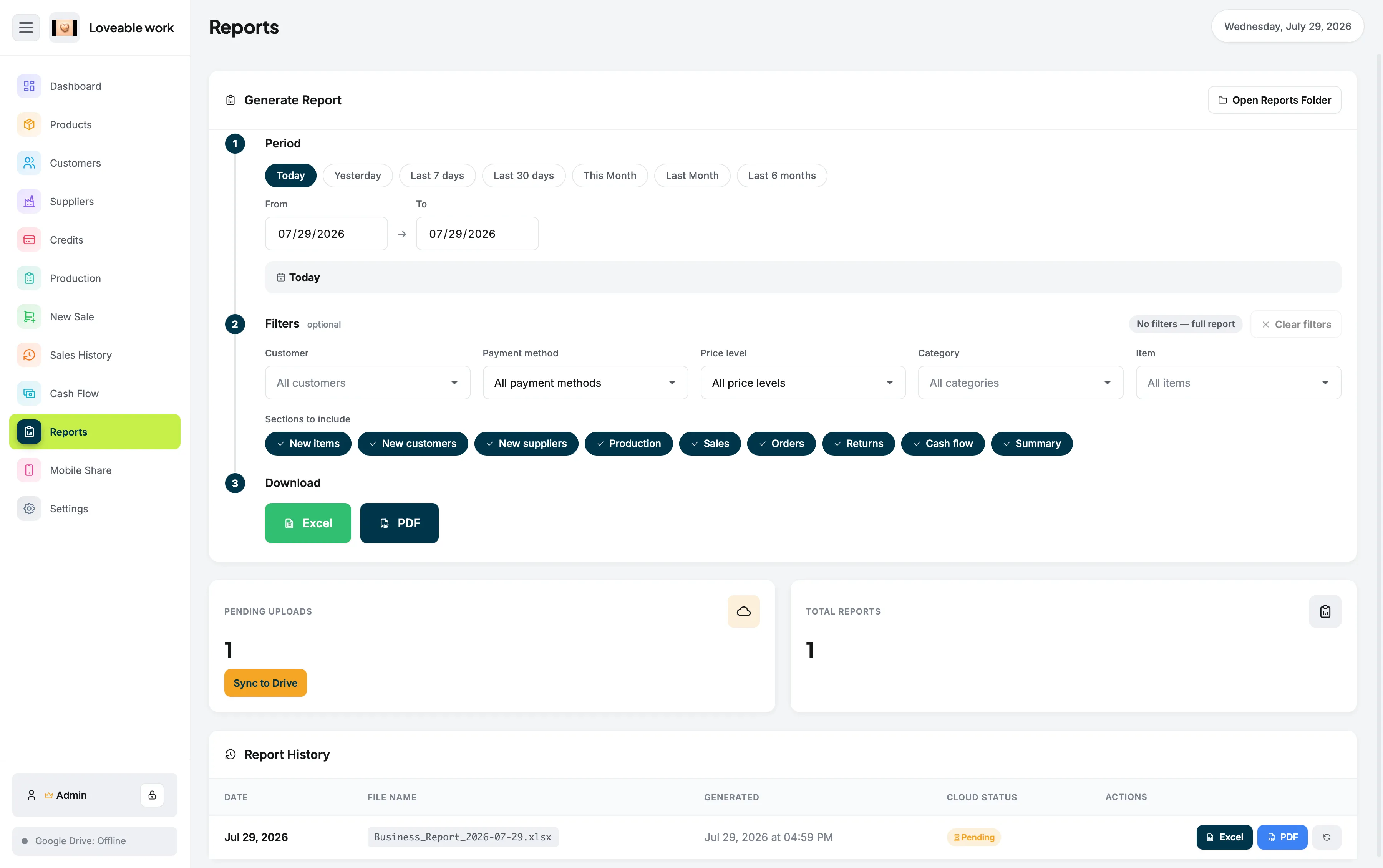
Reports screen in Restockly POS showing retail sales figures on the desktop, the simpler alternative compared with Lightspeed Retail here

Quick answer

Is Restockly POS a Lightspeed alternative?

It can be, depending on the store. Restockly POS may be a reasonable alternative for an independent retailer who wants offline-first desktop software and a one-time purchase, but it is not an equivalent to Lightspeed's cloud retail platform.

For multi-location retail, ecommerce or integration-heavy operations, Lightspeed may be the stronger choice. The comparison below is about matching the software to the size and shape of the business.

Side by side

Simple Offline Desktop POS or Full Cloud Retail Platform?

Restockly POS compared with Lightspeed Retail across nine areas, including platform philosophy, Mac use, offline operation and pricing model
Area Restockly POS Lightspeed Retail
Platform philosophy Offline-first desktop Cloud-based retail platform
Mac use Desktop-focused Browser-based Mac compatibility
Offline operation Core focus Backup functionality with limitations
Pricing model One-time software purchase Subscription
Inventory Yes Yes
Advanced integrations Limited Strong
Ecommerce ecosystem Not core focus Available
Multi-store scalability Small retail focus Strong
Best for Independent retailers Growing / complex retailers

Lightspeed describes Retail POS as cloud-based and currently publishes subscription plans for its retail product. Its U.S. pricing page lists Basic, Core and Plus subscription tiers.

Lightspeed details in this comparison are based on information published by Lightspeed and were last reviewed in August 2026. Plans, features and pricing change — check Lightspeed's own documentation before deciding.

Square and Lightspeed are trademarks of their respective owners. Restockly POS is not affiliated with, endorsed by or certified by either company.

Competitor strengths

Where Lightspeed Is Stronger

Lightspeed's strength is depth. Depending on plan and configuration, its retail ecosystem can include:

  • Multi-location retail
  • Advanced reporting
  • Inventory management
  • Ecommerce
  • Accounting integrations
  • Marketing integrations
  • Loyalty
  • API access
  • Staff management
  • Integrated payments

For an established retailer with several locations or complex operational requirements, those capabilities can justify a larger platform.

A different aim

Where Restockly POS Is Stronger

Restockly POS deliberately aims for less complexity.

It is built for the business that doesn't need an enterprise retail stack.

  • Desktop-focused workflow
  • Offline-first operation
  • Straightforward retail management
  • One-time purchase
  • No required recurring POS software bill
  • Products, inventory, customers and suppliers in one application
  • Sales, cash flow and reporting from the same interface
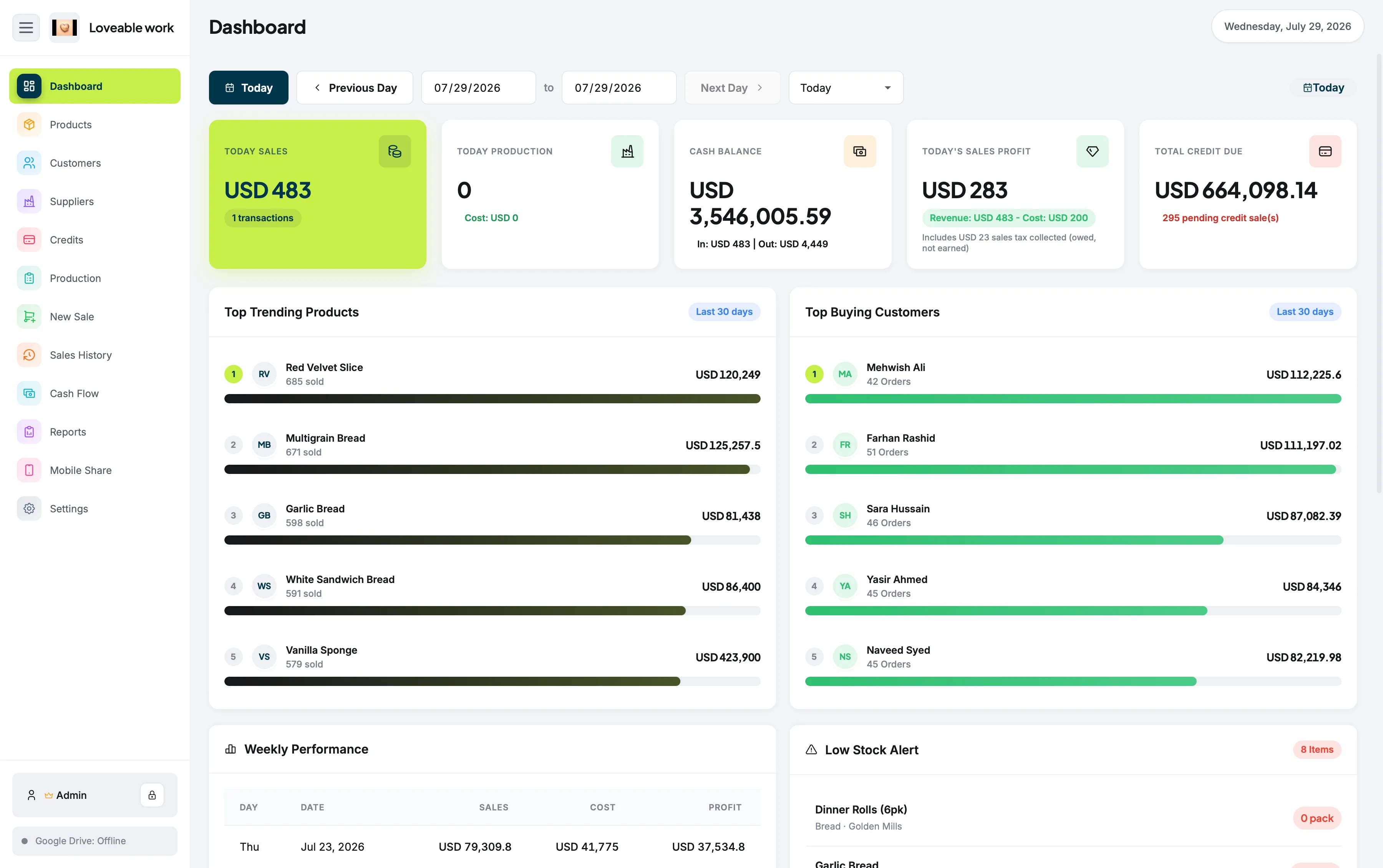
Restockly POS dashboard showing the day's sales, cash balance and stock alerts for one independent store

That is the same shape described on POS for small retail businesses.

Offline

The Offline Difference Matters

Does Lightspeed work offline?

Lightspeed does offer offline functionality. However, Lightspeed explicitly describes Retail POS offline mode as a backup function for temporary internet interruptions rather than a complete offline-selling solution.

On a computer, the store must have completed an initial sync and already be logged in. Some functions are unavailable while offline, including certain inventory and customer capabilities.

What offline-first means in practice is set out on offline POS software, and our guide to offline POS software for Mac compares how four products describe their own offline behaviour.

On a Mac

Mac Compatibility

Lightspeed Retail

Lightspeed Retail supports macOS computers through supported web browsers.

Restockly POS

Designed as dedicated desktop software for Mac rather than primarily as a cloud application accessed through a browser.

If having a dedicated desktop POS experience is important to you, Restockly POS deserves consideration — the detail is on POS for Mac, and the stock side of it on retail inventory software for Mac.

Deciding

Which Platform Matches Your Store?

Choose Lightspeed if…

Lightspeed may be the stronger option when:

  • You operate multiple stores
  • You require sophisticated integrations
  • You have complex inventory requirements
  • Ecommerce integration is important
  • You need enterprise-grade scalability
  • Paying a recurring subscription is acceptable

Choose Restockly POS if…

Restockly POS may make more sense when:

  • You operate an independent retail shop
  • You use a Mac as your store computer
  • You want essential retail tools without enterprise complexity
  • Offline access is important
  • You prefer a one-time software purchase
  • You don't want to pay continuously for core POS functionality

The Bottom Line

Lightspeed provides substantially more infrastructure for retailers that need a sophisticated cloud ecosystem. Restockly POS offers something different.

Try the Offline-First Alternative

If your store needs a straightforward desktop POS rather than a cloud retail platform, Restockly POS is built for that job.

One-time purchase · country-specific pricing shown on the pricing table.

Free trial · v1.3.0

Download Restockly POS

Same app, same licence key — pick the build for your computer.

Download for Windows

Restocklypos-v1.3.0-Windows-x64.exe Windows 10 & 11 · 64-bit · 10.6 MB

If Windows shows a blue warning screen

SmartScreen flags every new installer until it builds download reputation. Three steps clear it.

  1. 1

    Open the downloaded .exe from your Downloads folder.

  2. 2

    On Windows protected your PC, select More info.

  3. 3

    Check the publisher and filename, then select Run anyway.

Only install files downloaded from the official Restockly POS website.

Strictly necessary

Always on

Remembers your light/dark theme and your storefront country, and lets the Paddle checkout and licence lookup work. No measurement.